

Migrate a Streamlit app to Python/JS
Move an existing Streamlit app to the Python/JS stack with Kai — one click starts a guided migration that rebuilds the UI in React and moves queries server-side, leaving the original untouched until you publish.
New Keboola apps run on Python/JS. If you have an existing Streamlit app, Kai can migrate it for you — it rebuilds the same dashboard as a Python/JS app (React UI, server-side data access) while leaving your original Streamlit app untouched until you’re ready to switch.
Before you start
Section titled “Before you start”- An existing Streamlit app in your project.
- Kai available in the project.
Step 1 — Start the migration
Section titled “Step 1 — Start the migration”Open your Streamlit app and click Migrate to Python/JS with Kai in the header. Kai reviews the app (its KPIs, filters, charts, and tables) and proposes a migration plan.
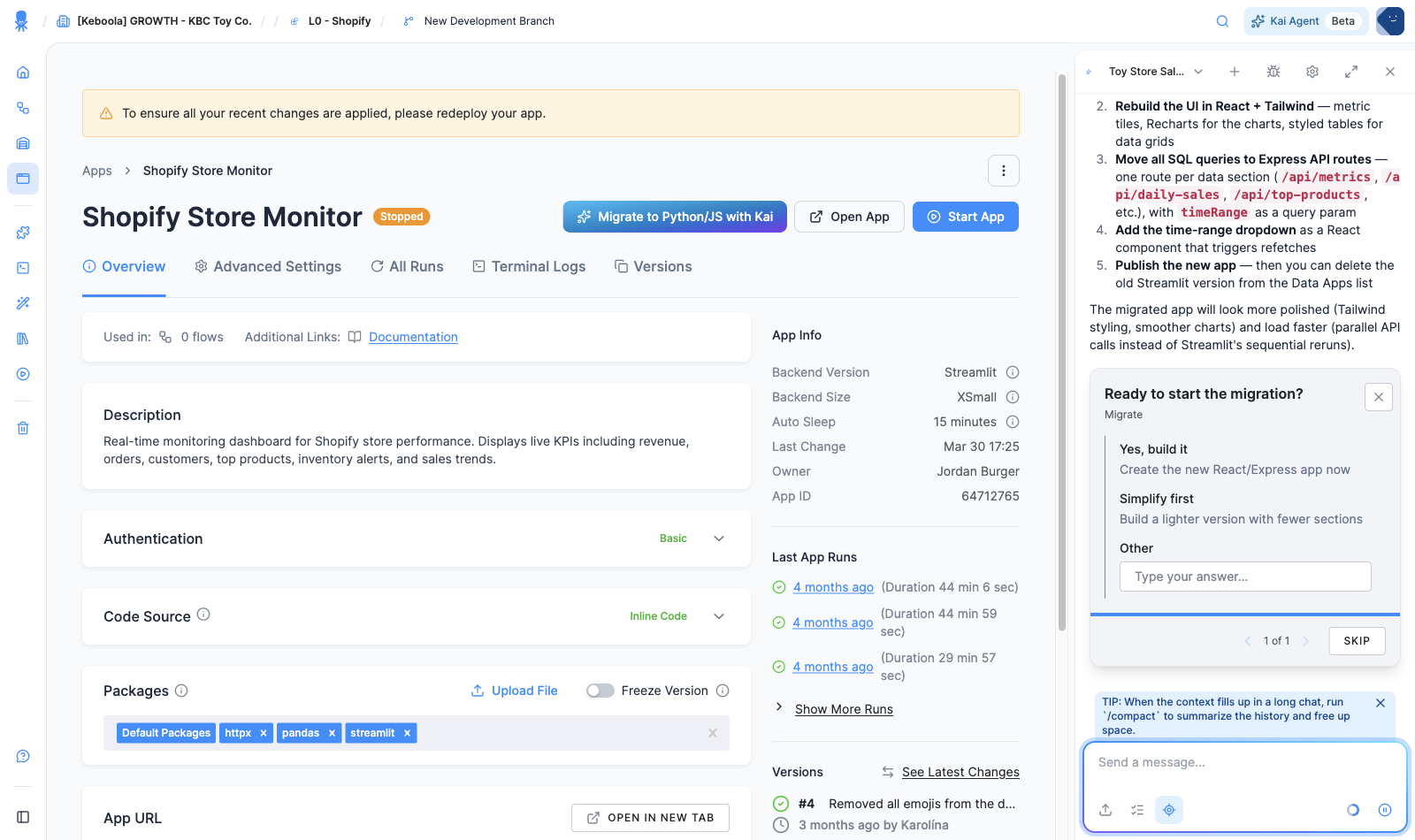
The plan is consistent: create a new Python/JS app (your Streamlit app stays untouched), rebuild the UI in React (metric tiles, charts, styled tables), move the SQL to server-side API routes, and add the filters as UI controls. Click Yes, build it.
Step 2 — Kai builds the migrated app
Section titled “Step 2 — Kai builds the migrated app”Kai scaffolds the new app, ports each section, and opens the split-screen builder with a live preview — the same dashboard, rebuilt on the new stack. It keeps every section from the original (KPI tiles, time-range filter, charts, tables).
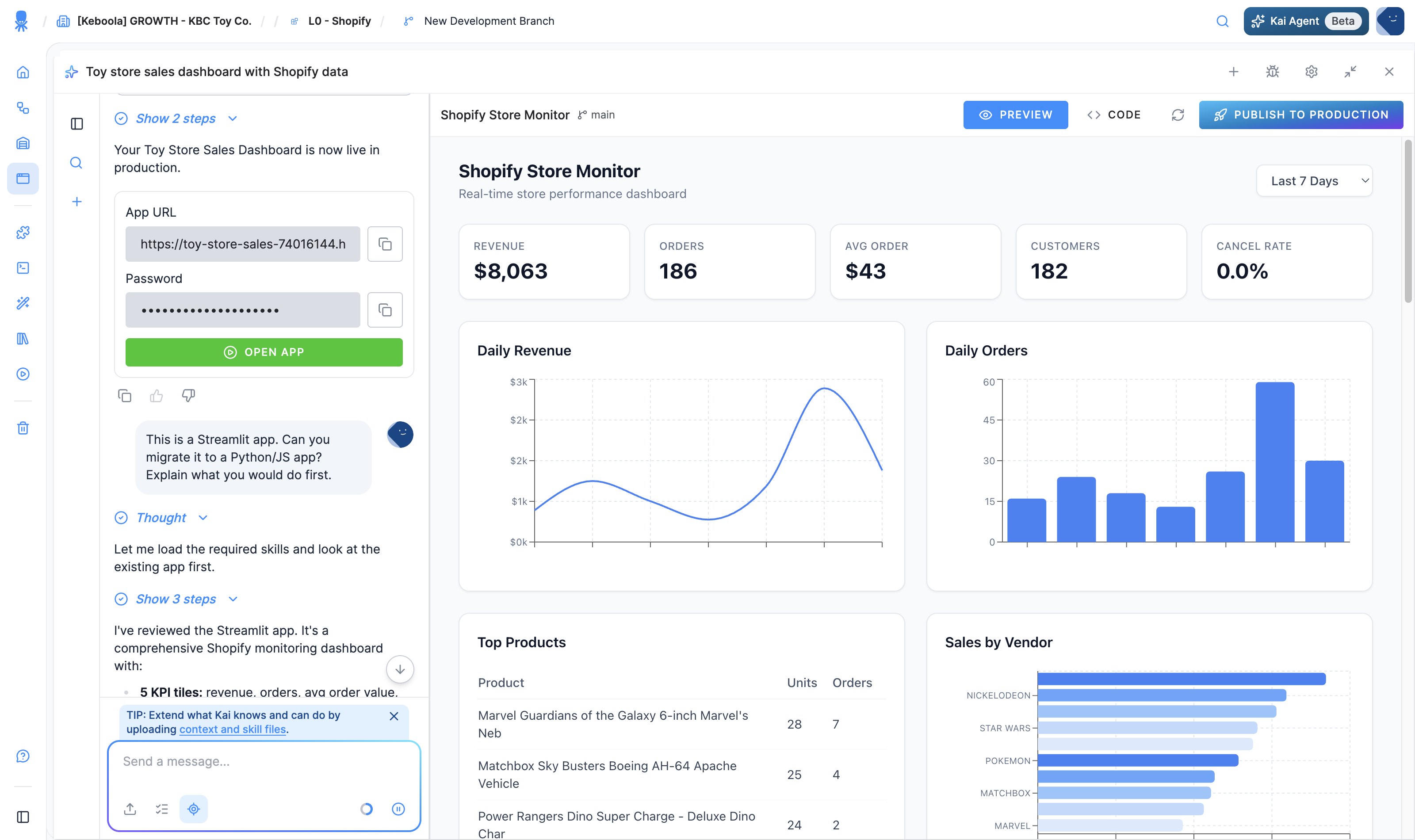
Refine anything in chat, exactly as with any Kai build.
Step 3 — Publish and retire the old app
Section titled “Step 3 — Publish and retire the old app”When the migrated app looks right, click Publish to Production. Once you’re confident in it over a run or two, you can delete the original Streamlit app from the Apps list if you no longer need it.
Next: back to Streamlit apps or the Apps overview.